Warehouse Management System (WMS) Buyer's Guide for Small Warehouses
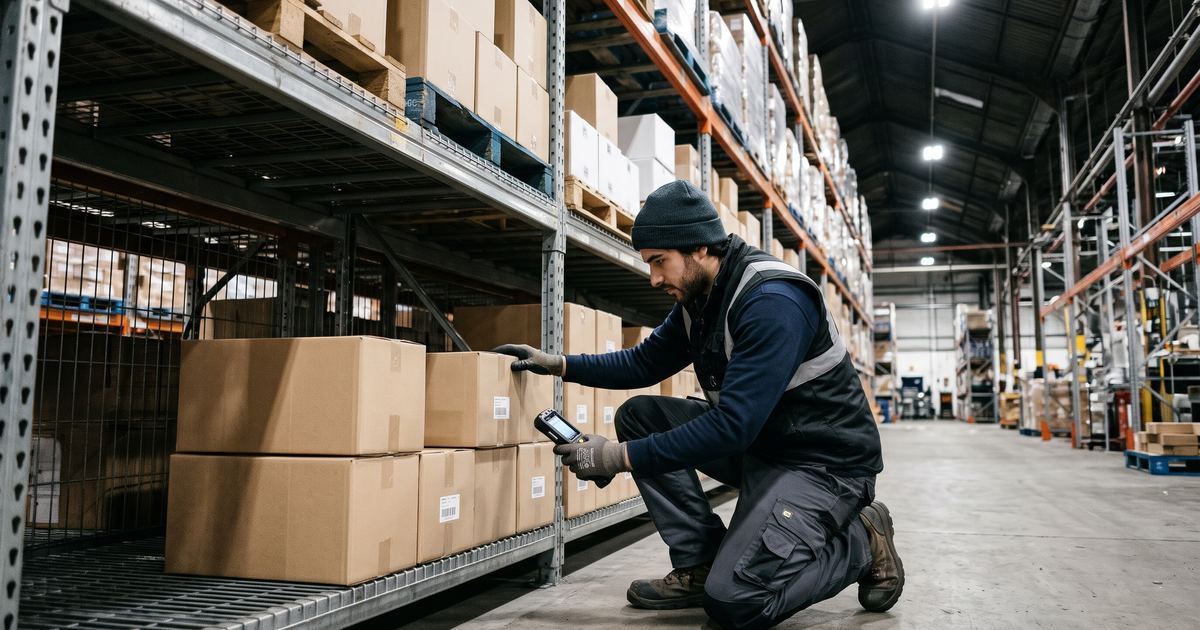
Every growing warehouse reaches the point where spreadsheets, clipboards and memory stop working. At first, a couple of experienced people know which aisle holds every product. Then SKUs climb past a few hundred, orders double, a new hire mispicks twenty orders in a week, and your online store sells ten units that are nowhere to be found.
That's when a warehouse management system (WMS) stops being nice to have and becomes necessary. This guide explains what a practical WMS does, which features small warehouses really use every day, and how to choose a system your team will actually adopt.
Signs your warehouse has outgrown spreadsheets
If two or more of these happen every week, spreadsheets are costing you more than a WMS would:
- Search walks: staff spend 15 minutes hunting for a SKU because someone moved a box and didn't update the sheet.
- Ghost stock: your store shows stock, but the shelf is empty when the packer gets there.
- Slow onboarding: only one or two veterans know where everything is.
- Typing orders twice: orders are printed, picked by hand and retyped into carrier portals at the packing desk.
- Painful counts: you stop shipping for a weekend to count everything.
What a modern WMS does on the floor
At its core, a WMS knows two things in real time: what stock you have, and where it is right now. Everything else builds on that.
1. Locations: spots, bins and pallets
A WMS divides the floor into scannable addresses: aisles, racks, shelves, bins and pallet spots. Instead of "near the back wall", every unit has an exact home.
2. Guided put-away
When supplier shipments arrive, put-away directs staff to the right bin or pallet spot and they scan it to confirm. The stock is ready to pick right away.
3. Recorded moves
Warehouses move stock all the time, from pallets down to pick shelves or by combining half-empty bins. A WMS records every move with a quick scan, so the system always matches the shelf.
4. Barcode-checked pick, pack and fulfil
Instead of walking the aisles with a printed list, pickers follow a set order, scan the bin and the product to confirm, pack the order and print the label in one flow.
5. Counts with photos
Instead of shutting down once a year for a full count, a WMS lets you count your busiest bins every week, with photos to record what was there and resolve differences straight away.
6. Clean returns and exchanges
When customers send items back, a WMS guides staff to inspect the return, decide whether it goes back to a bin or aside, and process exchanges cleanly.
What to prioritize, and what to skip
Small and mid-sized warehouses often get lost in enterprise systems full of modules they'll never use. Focus on what pays off:
- Must have: fast barcode scanning, bins and pallets, put-away and moves, pick/pack/fulfil, counts with photos, returns and exchanges, and connections to your stores (Shopify, Amazon, WooCommerce) and carriers.
- Important if you store for other brands: separate stock per client, client access and 3PL billing.
- Important if you run local vans: delivery runs, stop order and proof of delivery on the driver's phone.
- Usually unnecessary for small warehouses: robotic conveyor programming, yard-management integrations, or months of ERP consulting.
How to compare WMS platforms: a 5-step checklist
Step 1: Map your real daily work
Before booking demos, write down how goods really move: how supplier pallets arrive, how orders come in from Shopify, Amazon or WooCommerce, how labels are printed and how returns come back.
Step 2: Test it on a phone on the floor
A WMS succeeds or fails on how easy it is for the people on the floor. In a demo, count the scans and taps it takes to put away, move a bin or pick an order.
Step 3: Check the store and carrier connections
A WMS that isn't connected to your stores and carriers still leaves you exporting and importing by hand. Confirm that orders flow in by themselves, and that labels and Shopify tracking happen in the same platform.
Step 4: Check it can handle more than one client
Even if you only ship your own brand today, many warehouse owners later take on a partner brand or start a small 3PL to use spare racking. A system that supports several clients per warehouse keeps that door open.
Step 5: Ask how fast you can go live
Find out how quickly you can upload your SKU list, print bin labels and start. A practical cloud platform should get a small warehouse running in days, not months.
How HAJEX Bolt brings WMS, shipping and delivery together
HAJEX Bolt is built for businesses that want real warehouse control without separate software for stock, parcel labels and local deliveries.
- Complete core WMS: spots and bins, pallets, put-away, internal moves, barcode scanning, counts with photos, and returns and exchanges.
- Stores and multi-carrier shipping: import orders from Shopify, Amazon and WooCommerce, compare rates and print labels across UPS, Canada Post, Canpar and others, and send tracking back to Shopify in one tap.
- 3PL and your own vans: grow into multi-client warehousing with client accounts and 3PL billing, or send out your own vans with stop order, live tracking and proof of delivery.
Frequently asked questions
How many SKUs or orders do I need before buying a WMS?
Most warehouses see a quick return once they manage more than 100 to 200 active SKUs, ship 25 or more orders a day, or have more than two people on the floor.
Can a small warehouse scan barcodes without expensive hardware?
Yes. Modern platforms work with standard barcode scanners and phones, so teams can scan bins and products without costly legacy terminals.
How does a WMS reduce picking mistakes?
Every SKU has a bin, and picking requires scanning both the bin and the product. Wrong items and wrong sizes are caught at the shelf, before the box is closed.
What is the difference between a WMS and an inventory app?
An inventory app tracks totals across sales channels. A WMS runs the physical warehouse: bin locations, pallets, put-away, moves, barcode-checked picking, counts and packing.
Can one WMS handle both ecommerce parcels and local van deliveries?
Yes. HAJEX Bolt connects pick-and-pack to both multi-carrier labels and your own delivery runs, with a driver app and proof of delivery.