Barcode label placement best practices for pallets, bins, and cartons
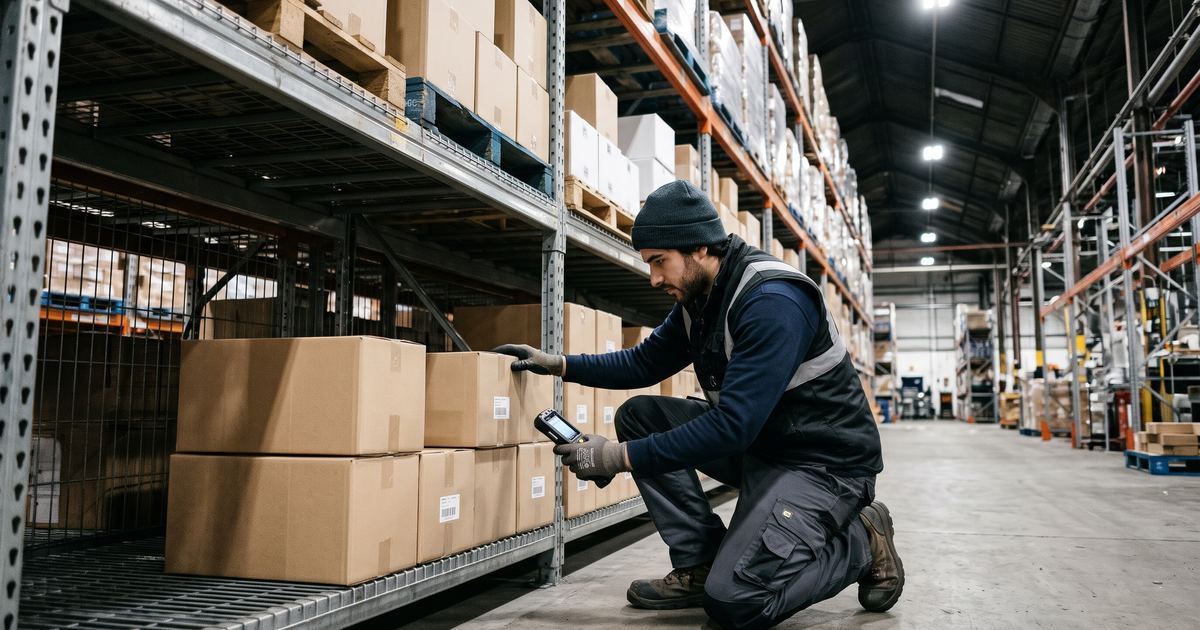
Even the best barcode scanning workflow can stall on the floor if barcode labels are placed where scanners cannot reach them easily, covered with tape, or torn off by passing boxes. When a worker has to climb onto a rack beam, peel back packing tape, or angle a scanner three times just to read a label, scanning feels like a chore instead of a fast habit.
Good barcode label placement for pallets, bins, and cartons is simple: put labels where they are visible, flat, protected, and consistent from one aisle or order to the next. That small attention to detail makes put-away, moves, picking, cycle counts, and returns much smoother across every shift.
Best practices for placing labels on shelf bins
Shelf bins hold smaller items and get touched frequently during picking, replenishment, and cycle counts.
- Stay consistent on every bin: Place bin barcode labels in the exact same spot on every shelf or bin, such as the front face or shelf lip, so staff know immediately where to aim.
- Keep labels flat and unobstructed: Avoid wrapping a barcode around a curved edge or corner where the bars bend and become harder to scan.
- Avoid covering barcodes with tape or labels: Never put clear packing tape or overlapping stickers across a barcode, as glare or creasing can interfere with reading.
Best practices for pallets and floor spots
Pallets and floor spots hold bulk goods and often sit higher up or in wider aisles where reach matters.
- Make rack and spot locations easy to scan safely: Place clear location labels on pallet racking locations and floor spots so operators can identify and scan them without putting themselves in awkward or unsafe positions. Always follow local workplace safety rules for racking, ladders, lifts, and floor markings.
- Keep pallet labels visible on the load: When labeling pallets or items on a pallet, keep barcodes facing outward where they are not blocked by shrink-wrap folds or adjacent pallets.
Best practices for cartons and packed orders
On shipping cartons and product packaging, clean label placement helps both warehouse verification and downstream handling.
- Apply labels on a flat, smooth surface: Place product barcodes and shipping labels flat on a main side or top panel rather than across box seams, flaps, or rounded corners.
- Keep shipping labels clear and readable: Make sure shipping labels are printed cleanly with dark, sharp contrast and no smudges so carriers can read them without trouble.
Step-by-step: Keeping label placement consistent on the floor
- Pick a standard spot for each location type: Decide where bin labels, rack/pallet spot labels, and carton labels go and write that standard down for your team.
- Scan during put-away, moves, picking, and returns: Use barcode scanning across daily warehouse steps so staff test and rely on clean labels every day.
- Replace damaged or peeling labels promptly: If a label gets torn, faded, or hard to scan during picking or cycle counts with photos, replace it right away instead of leaving a bad label on the floor.
- Connect accurate picking to shipping: Once orders from Shopify, Amazon, and WooCommerce are picked and packed cleanly, compare carrier rates across UPS, Canada Post, Canpar, and other carriers, print labels, send Shopify tracking back in one tap, and give customers a tracking page.
Checking label readability before peak shipping and counts
Worn, crooked, or glare-covered barcodes often show up right when order volume picks up or during a cycle count. Encourage staff to replace damaged bin, pallet, or product labels as soon as they spot them rather than leaving a hard-to-scan label on the shelf for weeks.
Clean labels paired with barcode scanning across put-away, internal moves, picking, cycle counts with photos, and returns and exchanges keep your warehouse team moving smoothly from dock to carrier pickup or local delivery run.
Aligning label care with daily packing and fleet handoffs
Clean labels matter right up to the moment a parcel leaves your building. Confirm that shipping labels are legible and placed cleanly on cartons for carriers such as UPS, Canada Post, Canpar, and other carriers, send Shopify tracking back in one tap once fulfilled, and share a tracking page with customers. When local orders go out on your own vans, keep delivery runs organized with route order, live tracking, a driver app on iPhone and Android in seven languages, proof of delivery (photos, signature, ID check), van check-out and check-in with photos, and cash on delivery.
How HAJEX Bolt supports barcode-driven warehouse operations
HAJEX Bolt connects barcode scanning, location tracking, cycle counts, returns, and multi-carrier shipping in one platform.
- WMS spots, bins, pallets, and barcode scanning: Track inventory across spots, bins, and pallets and run put-away, internal moves, picking, cycle counts with photos, and returns and exchanges.
- 3PL and fleet tools: Support multiple clients per warehouse with client portals and 3PL billing, and manage local delivery runs with route order, live tracking, a driver app on iPhone and Android in seven languages, proof of delivery, van check-out and check-in with photos, and cash on delivery.
- Ecommerce import and one-tap Shopify tracking: Import orders from Shopify, Amazon, and WooCommerce, compare rates and print labels across UPS, Canada Post, Canpar, and other carriers, send tracking back to Shopify in one tap, and share a tracking page with customers.
Frequently asked questions
Where is the best place to put a barcode label on a warehouse bin or shelf?
Pick one consistent, easy-to-see spot, such as the front face or shelf lip of each bin, and keep it flat and free of glare or overlapping tape so staff can scan it quickly.
Why should I avoid placing a barcode across a box seam or corner?
Bending or creasing a barcode across a seam or corner distorts the bars and can make it slow or difficult for scanners to read reliably.
How do cycle counts with photos help keep barcode labels in good shape?
During cycle counts with photos, staff can spot worn, peeling, or hard-to-read bin and pallet labels and replace them before they slow down picking or put-away.
Can HAJEX Bolt use barcode scanning across put-away, moves, picking, and returns?
Yes. HAJEX Bolt supports barcode scanning across put-away, internal moves, picking, cycle counts with photos, and returns and exchanges.
How does HAJEX Bolt update Shopify after orders are fulfilled and labeled?
Once an order is fulfilled and labeled in HAJEX Bolt, you can send tracking numbers back to Shopify in one tap and provide customers with a tracking page.