How to organize internal warehouse moves and replenishment
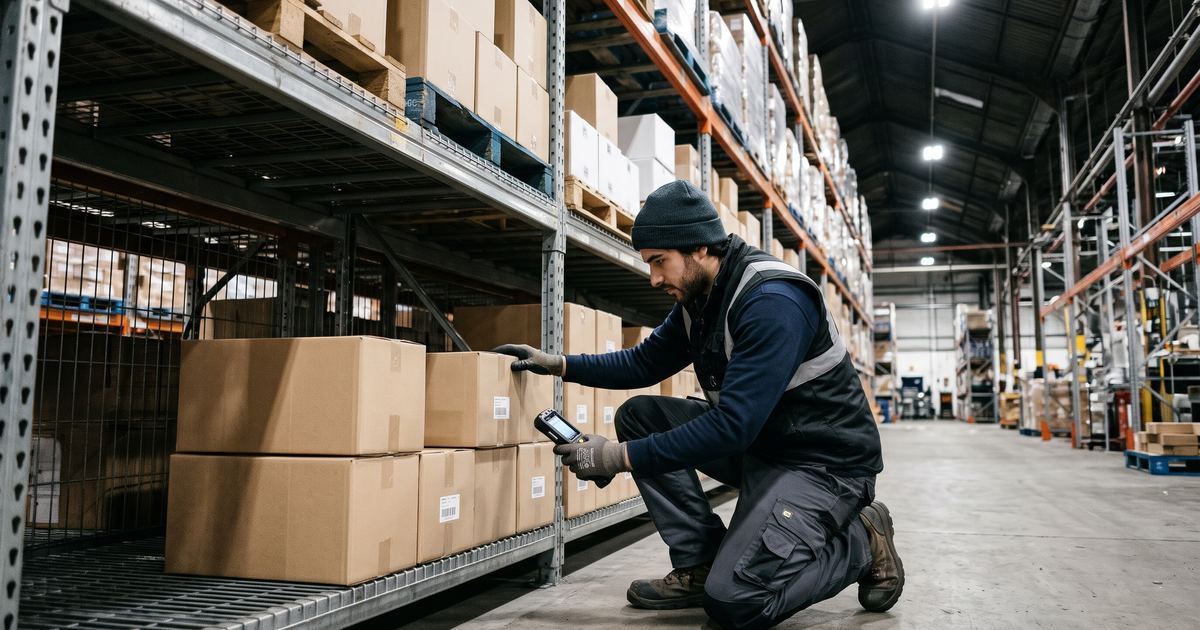
In an active warehouse, inventory is always on the move. Reserve pallets come down from upper racks to refill empty pick bins, slow-moving SKUs shift to back aisles to make room for seasonal items, and consolidated bins get tidied up so pickers can work faster.
When those internal moves happen quietly without being recorded, your inventory system falls out of sync with the floor. A picker walks to a bin expecting stock that was moved ten minutes earlier, or a bin shows units sitting in a spot that is now empty. Organizing warehouse inventory moves and replenishment keeps your team moving without hunting for lost stock.
Common causes of unlogged warehouse moves
Most inventory move problems come from everyday floor habits rather than major mistakes:
- Quick "just for a minute" refills: A worker grabs a case from a bulk spot to top off a pick bin and forgets to log the transfer because it only took a moment.
- Seasonal and promotional reshuffling: Moving fast-selling items closer to packing stations during sales events without updating bin locations leaves pickers checking old spots.
- Unclear replenishment triggers: Waiting until a pick bin hits zero before refilling it forces pickers to stop mid-order and hunt for extra stock elsewhere in the warehouse.
- Mixed or unlabeled bins: Placing stock into a bin without scanning the location or checking SKU separation creates confusion on the next pick pass.
Types of internal moves every warehouse manages
Breaking internal moves into clear categories helps your team handle them consistently:
Forward pick replenishment
Moving stock from bulk reserve pallets or back-up storage into primary pick bins so pickers always have enough units on hand to fulfill orders smoothly.
Bin-to-bin consolidation
Combining partial quantities of the same SKU from two half-empty bins into one clean bin to free up space and simplify future cycle counts.
Re-slotting and layout adjustments
Moving items to better spots or bins as sales velocity changes, putting high-velocity SKUs in convenient pick zones and moving slower SKUs to less prime locations.
Quarantine or returns routing
Moving inspected returns into active put-away locations or shifting damaged items into a separate non-pickable area so they are not picked by mistake.
Step-by-step: Organizing moves and replenishment cleanly
Follow a simple, repeatable routine so internal moves support picking instead of slowing it down.
1. Set clear replenishment points for fast-moving bins
Decide when a pick bin needs refilling, such as when stock drops to a low cushion level, so replenishment happens before the bin runs dry. Refilling during quieter windows or before peak packing waves keeps pickers from waiting.
2. Scan source, item, and destination on every move
Make barcode scanning a standard habit for every move. Scanning the item and the destination spot, bin, or pallet confirms the stock moved cleanly and keeps location records accurate.
3. Keep bin and spot labels easy to read and scan
Ensure every spot, bin, and pallet location has a clear, undamaged barcode label. Place labels consistently so operators can scan them quickly without climbing or guessing.
4. Pair moves with periodic cycle counts
Even with strong move habits, occasional slips happen. Run cycle counts with photos on active bins and pallets to verify accuracy and catch discrepancies early.
5. Connect moves to your pick, pack, and shipping flow
When internal moves keep pick bins stocked and accurate, pickers move faster, packers get the right items, and shipping labels go out on time across carriers like UPS, Canada Post, and Canpar.
Reviewing move patterns to improve floor layout
Looking back at your internal move activity over a few weeks often reveals simple ways to save steps. If staff are constantly moving the same fast-selling SKU from a distant rack into a forward bin, moving that SKU's primary bin closer to the packing bench cuts repeated handling. Likewise, if two bins of the same item keep getting merged, adjusting bin capacity or reorder timing reduces extra touches.
Keeping moves structured also protects busy teams during peak promotions or seasonal shifts. When every replenishment and bin transfer is scanned and logged consistently, warehouse leads see where stock actually sits and packers can pull orders without delays.
How HAJEX Bolt supports internal moves and replenishment
HAJEX Bolt connects internal moves with put-away, bin and pallet tracking, picking, and shipping in one warehouse platform.
- Moves, put-away, and barcode scanning: Record internal moves alongside put-away across spots, bins, and pallets using barcode scanning.
- Cycle counts with photos and returns: Keep stock accurate with photo-verified cycle counts and structured returns and exchanges.
- Ecommerce and multi-carrier shipping: Import orders from Shopify, Amazon, and WooCommerce, pick and pack accurately, compare rates and print labels across UPS, Canada Post, Canpar, and other carriers, and send Shopify tracking back in one tap.
- Customer tracking and fleet runs: Give buyers a tracking page and manage local delivery runs with route order, live tracking, proof of delivery, van check-out and check-in with photos, and cash on delivery.
Frequently asked questions
Why should we record internal bin-to-bin moves in our WMS?
Recording internal moves keeps digital bin and pallet locations matched to physical stock on the floor, so pickers do not waste time searching empty or outdated locations.
When is the best time to replenish pick bins from reserve stock?
Replenishing before a pick bin runs completely empty, ideally during calmer periods or before major packing waves, helps prevent pickers from getting stuck mid-order.
How does barcode scanning help during internal warehouse moves?
Barcode scanning confirms the exact SKU and destination spot, bin, or pallet being updated, reducing manual typing errors as stock moves around the facility.
How do photo cycle counts support internal move accuracy?
Taking photos during cycle counts helps verify what is physically in a bin or on a pallet after moves happen, making it easier to spot and fix discrepancies.
Does HAJEX Bolt support both single-brand warehouses and multi-client 3PLs for internal moves?
Yes. HAJEX Bolt supports warehouse moves across spots, bins, and pallets for both single-brand warehouses and multi-client 3PL warehouses with client portals and 3PL billing.